Are you using Vodafone Idea (Vi) Sim, Did you notice only *199# USSD code is working for knowing plan validity other codes are no longer working.
Check in your mobile Vi USSD codes to know Internet data balance, recharge offers, activate or deactivate VAS services, emergency talk time credit, roaming etc.
if those ussd codes worked in your mobile use below codes. If not working install Vi App in your mobile
How to Know My Vi Recharge Validity?
Open Phone Dial Pad
Type *199# and enter (tap on dialer)
It displays plan validity
Vodafone Idea (Vi) Prepaid USSD Codes
If you are using VI Sim Prepaid use below daily mostly used Vi Sim USSD codes to know facilities. If these codes are not working Install Vi App in your mobile device
*199# Code for Talk time, Data, Validity
*199*2*1# Code for Main balance check
*199*2*2# Code for Internet/data balance (2G/3G/4G/5G)
*199*1*3# Code for Internet Offers
*199*1*6# Code for Small talk time credit loan
*199*1*7# Code for Recharge offers
*199*1*8# Code for Voice, SMS & Roaming offers
*199*3*1# Code for Activate VAS
*199*3*2# Code for Deactivate VAS service
*199*3*3# Code for activate or change caller tune *199*2*3# Code for Last 3 calls & SMS details
Vodafone Idea (Vi) Postpaid USSD Codes
If your Vi sim is Postpaid use below Vodafone Idea (VI) USSD codes to know facilities/functions. If these codes are not working install Vi App in your mobile device
*199# Code for due amount and bill details
*199*1*1# Code for Tariff Plan and Change
*199*1*2# Code for Data usage information
*199*2# Code for Billing and Payment Options
*199*1*3# Code for Activate data packs
*199*1*4# Code for roaming packs
*199*1*5# Code for Voice or SMS packs
*199*3*1# Code for VAS service start/stop
How to Fix USSD Codes – Recommended Install Vi App
For knowing Vi Sim network Facilities like tariffs & offer, sim related, services related, roaming, value added services, data related etc we strongly recommended install Vodafone Idea App, you can view all USSD code functions in the app directly
Steps
Install “Vi App” from Google Play Store
Open the App
Enter Mobile Number
OTP will ask enter
On home page you can see Data left, Plan end date
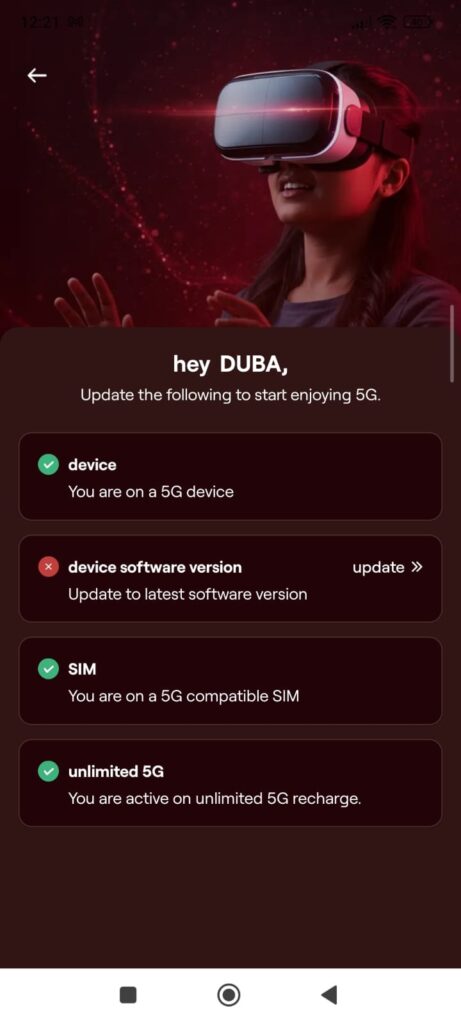
How to Check My VI Sim 5G Compatibility or Not in Vi APP
On Home page scroll down slowly and see prepaid services (if your sim is postpaid it will show postpaid services)
Under Prepaid services Select check 5G compatibility
If your sim is 5G it will show You are on a 5G compatible SIM
If the sim is not 5G, Go to your local Vi Store and ask them I want to change 5G Sim
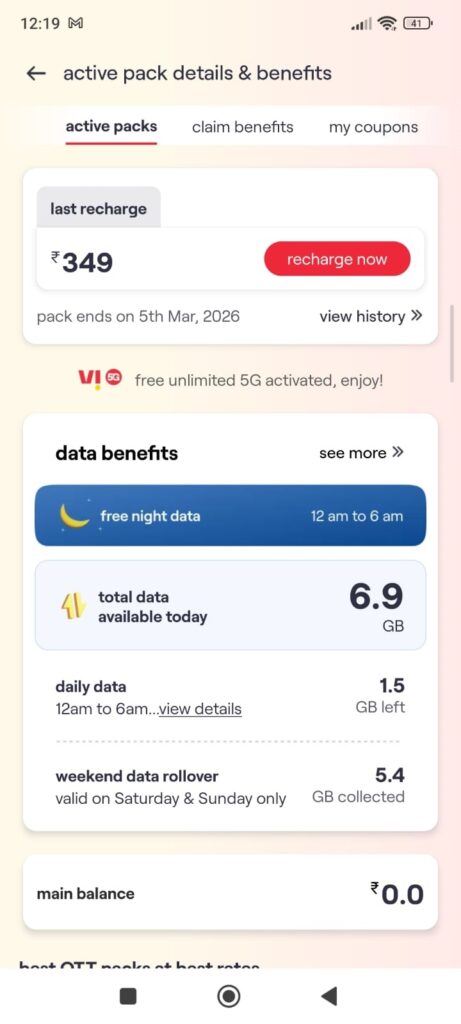
Where Can I See Vi Data Available Today in Vi APP
Click on Home
Scroll down slowly and stop at prepaid services/postpaid services
Now click on “Claim pack benefits”
Next click on active packs
Now you see Total data available today
Also you can check daily data, pack ends on, main balance
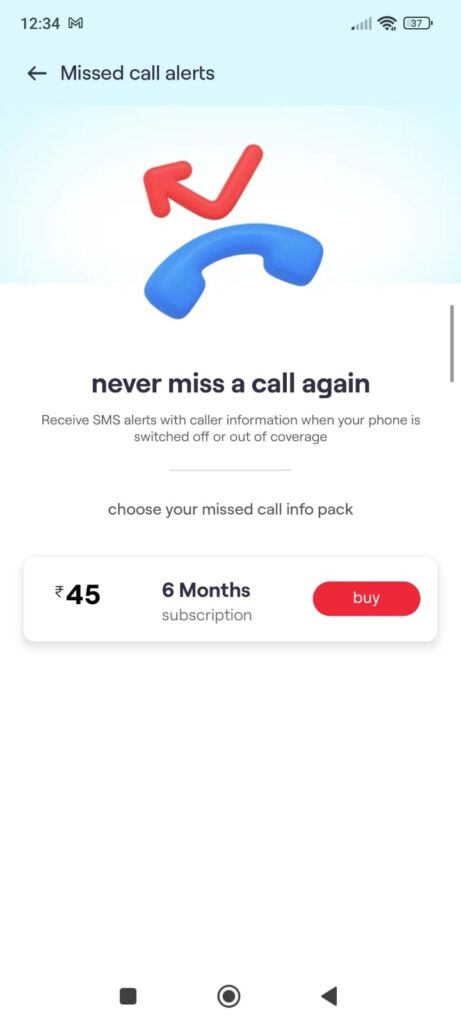
How to Know My missed Calls When My Phone switched off or Out of Coverage?
You can view missed calls while your phone switched off or out of coverage
Steps
Open VI App
Go to Home Page
Scroll down upto visible prepaid services
Now click on “missed calls alerts”
Click on Buy plan (it charges Rs.45 for 6 Months)
Now you will get missed calls list in your phone even in your phone switched off
How to check My Phone IMEI Number?
Open Phone Dial Pad
Type *#06# and enter (tap on dialer)
It displays phone IMEI number